MarketingIQ User Guide
MarketingIQ connects to your marketing stack — Klaviyo, Shopify, GA4, Meta Ads, and more — and lets you ask questions across all of it in plain English. This guide takes you from a fresh account to a connected workspace with a daily AI health report.
#1. Getting started
Create your account
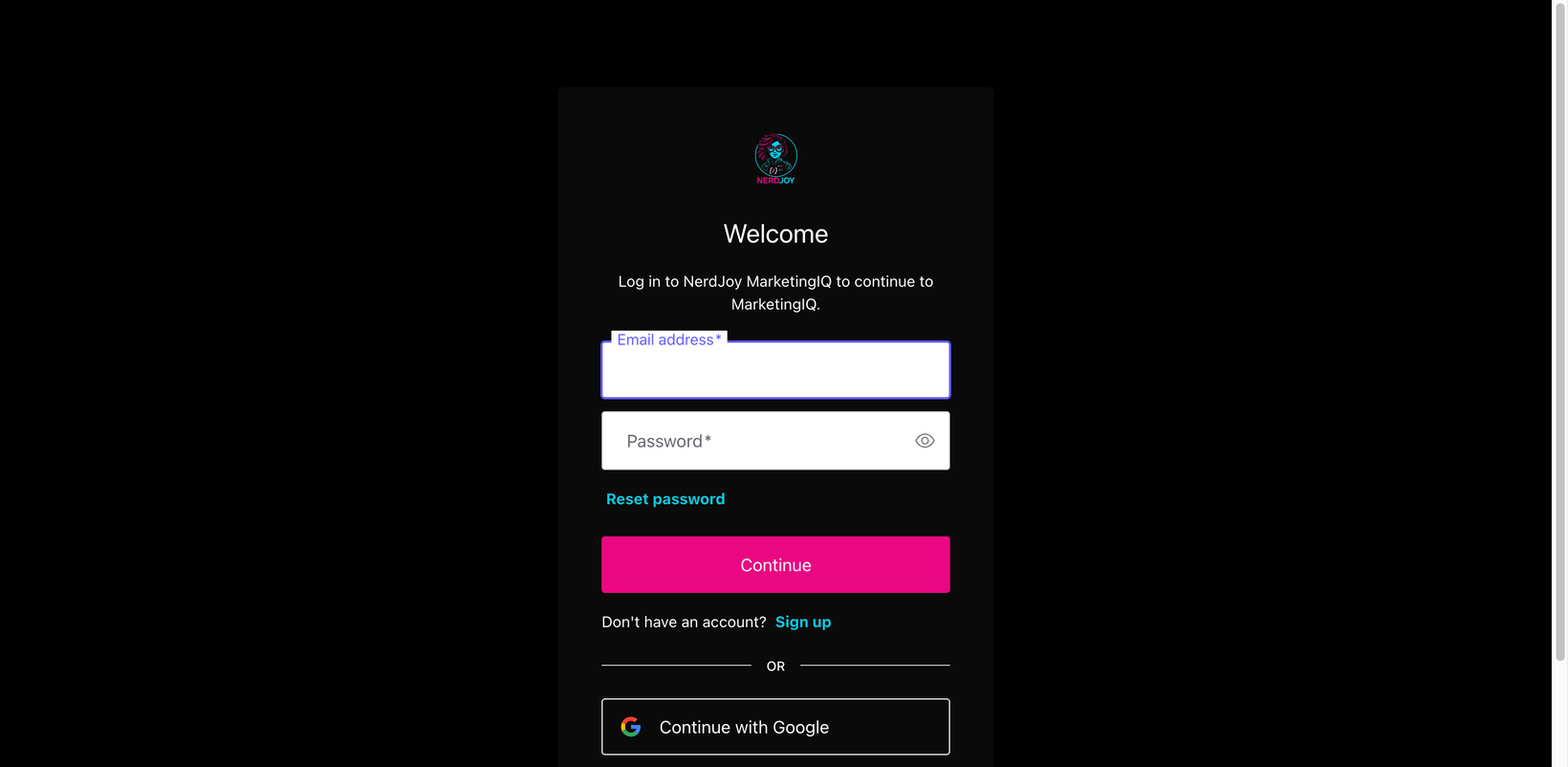
- Go to marketingiq.nerdjoy.tech and click Get started.
- Sign in with Google, or sign up with an email and password. If you use email, click the verification link we send you — some features (like joining a team by invite) stay locked until your email is verified.
- Name your first workspace after your brand. A workspace is one brand's home: its connectors, conversations, and reports live there.
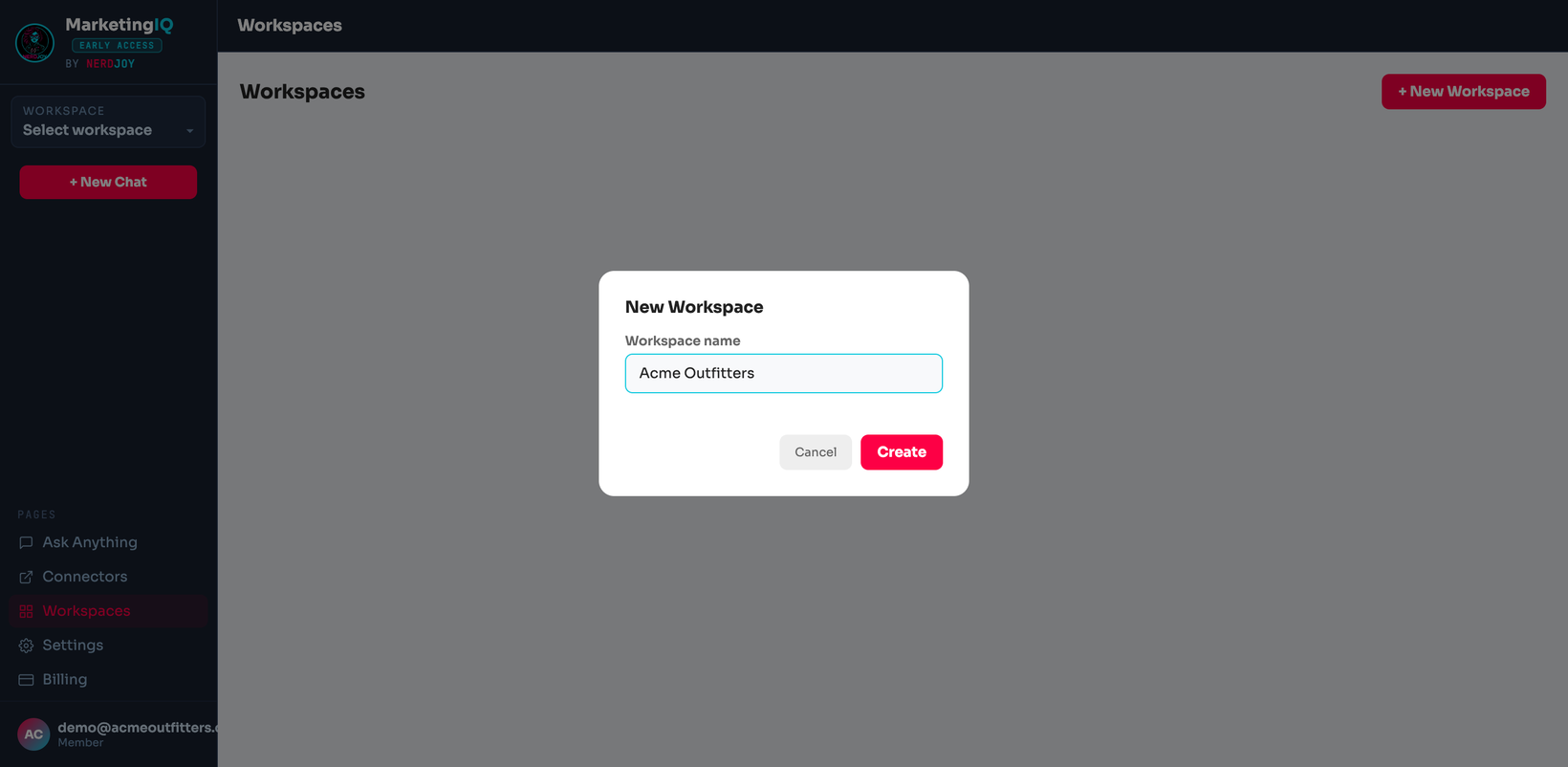
Your first five minutes
- Connect one data source — Klaviyo or your store platform is the best first pick (see §2).
- Ask a question — try "What were my best-performing flows last month?"
- Open your health report — it generates from your connected data and refreshes daily.
#2. Connect your stack
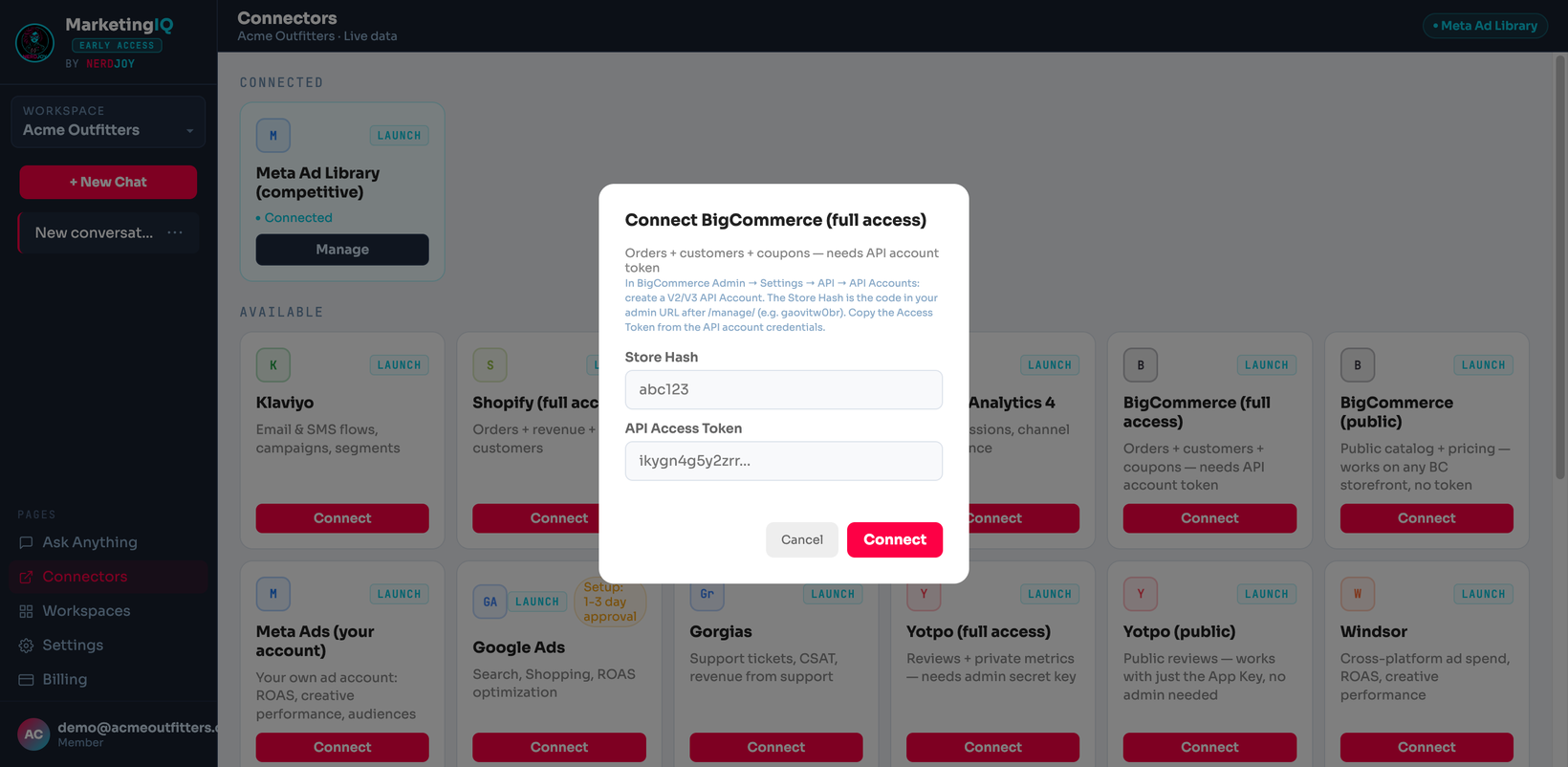
Open Connectors in the sidebar. Every connector is either OAuth — click, approve in the vendor's window, done — or API key — paste credentials from the vendor's admin panel. Credentials are encrypted at rest and only ever used server-side.
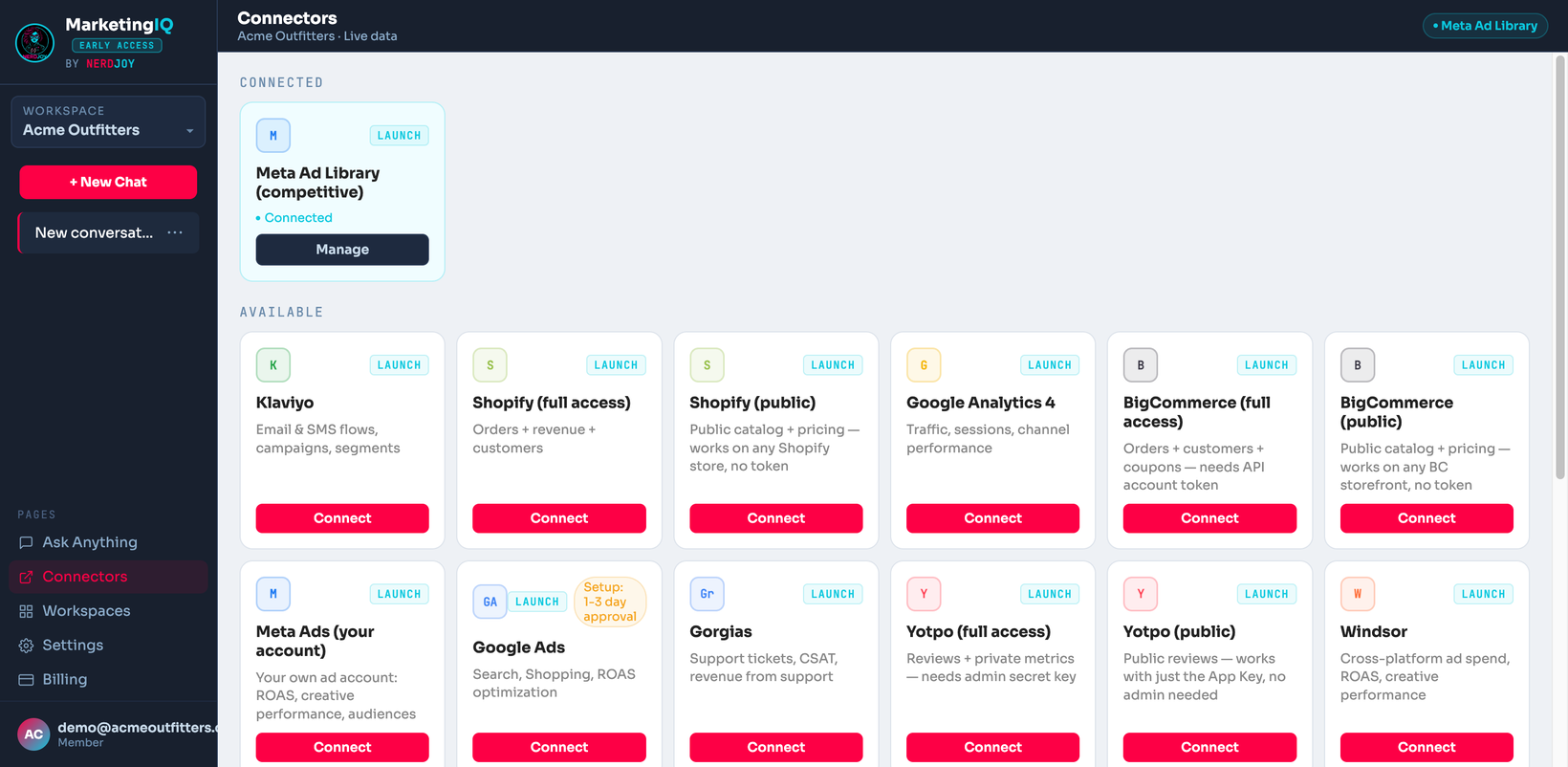
| Connector | Auth | What it unlocks |
|---|---|---|
| Klaviyo | OAuth | Email/SMS flows, campaigns, segments, list growth, revenue attribution |
| Shopify | OAuth | Orders, revenue, products, customers, discounts |
| BigCommerce | API key | Orders, revenue, products, customers |
| Google Analytics 4 | OAuth | Sessions, traffic sources, conversions, e-commerce funnels |
| Meta Ads | OAuth | Campaign spend, ROAS, audience performance |
| Google Ads | OAuth | Campaign spend, conversions, search performance |
| TikTok Ads | OAuth | Campaign spend and performance |
| Gorgias | OAuth | Support ticket volume, response times, common issues |
| Recharge | API key | Subscriptions, churn, recurring revenue |
| Attentive | API key | SMS subscriber growth and campaign performance |
| Yotpo | API key | Reviews, ratings, UGC |
| Windsor.ai | API key | Aggregated ad-platform metrics if you already use Windsor |
| DataForSEO | API key | Keyword rankings and SEO visibility |
If a connection fails
- The connector card shows the error we got from the vendor. Most failures are an expired key or missing permission scope — re-create the key with the scopes listed in the connect dialog.
- If a source starts failing repeatedly, MarketingIQ temporarily stops calling it (so one broken key can't slow every question) and retries automatically. You'll see it marked as temporarily unavailable.
#3. Ask questions
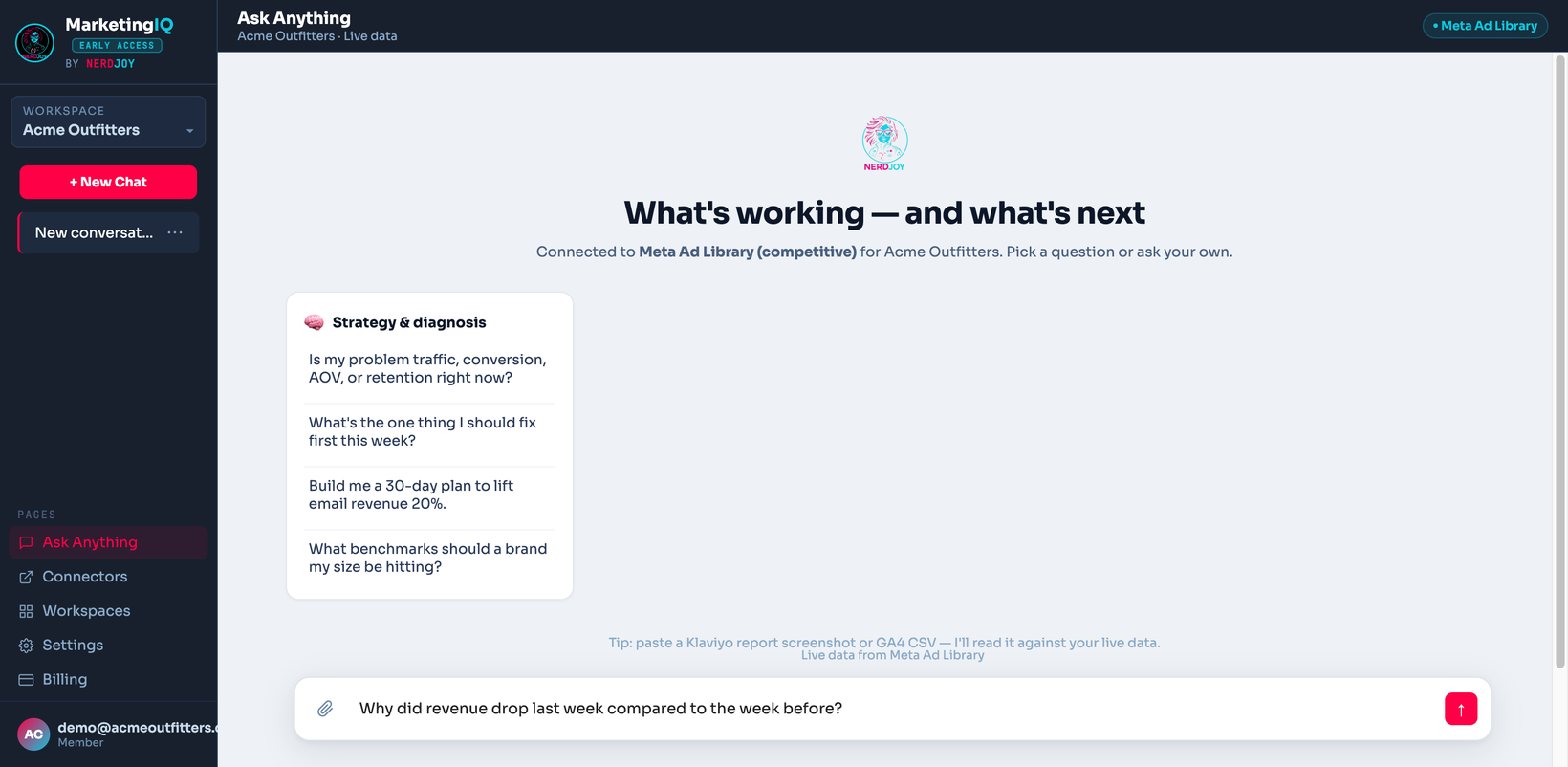
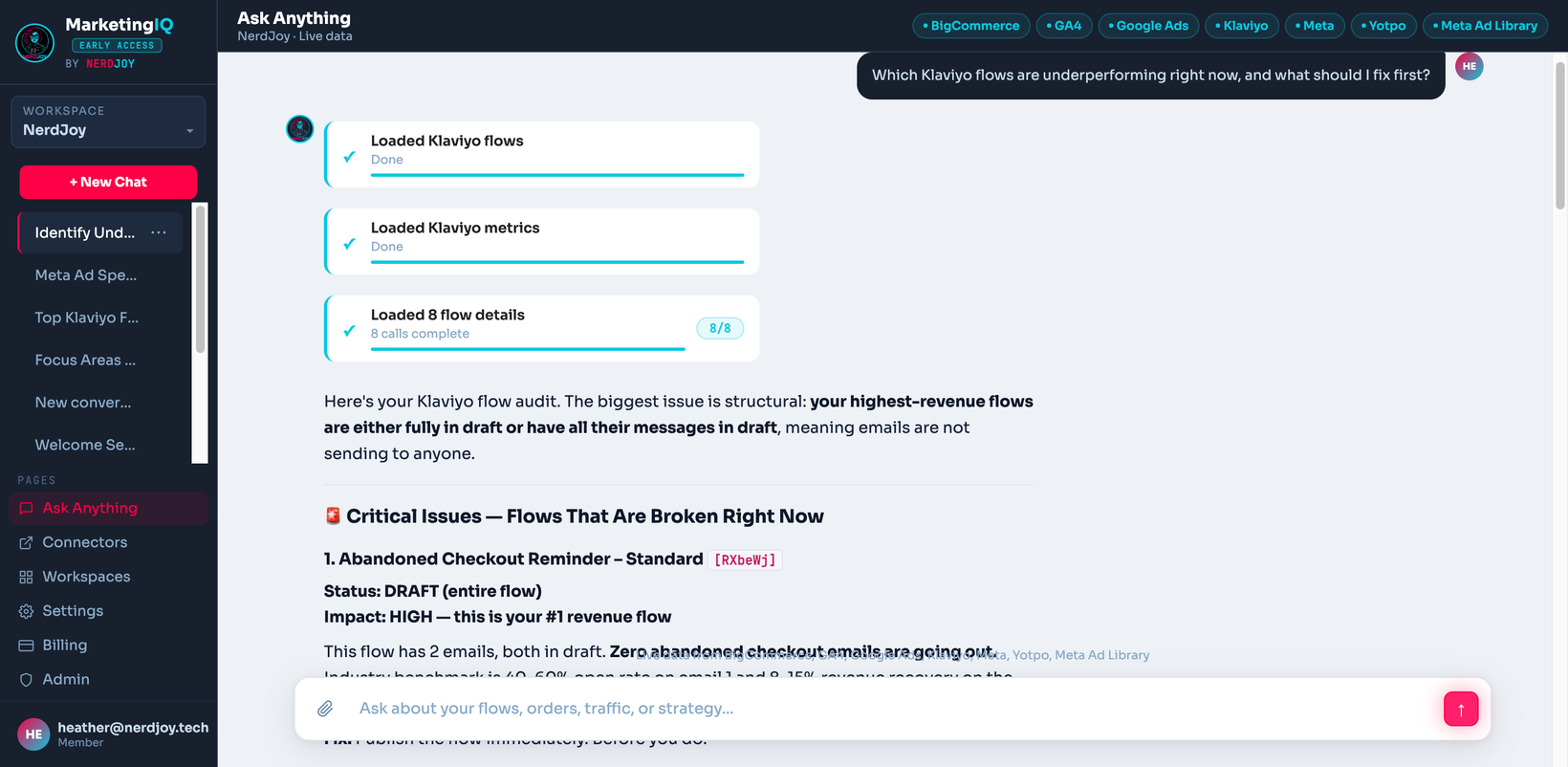
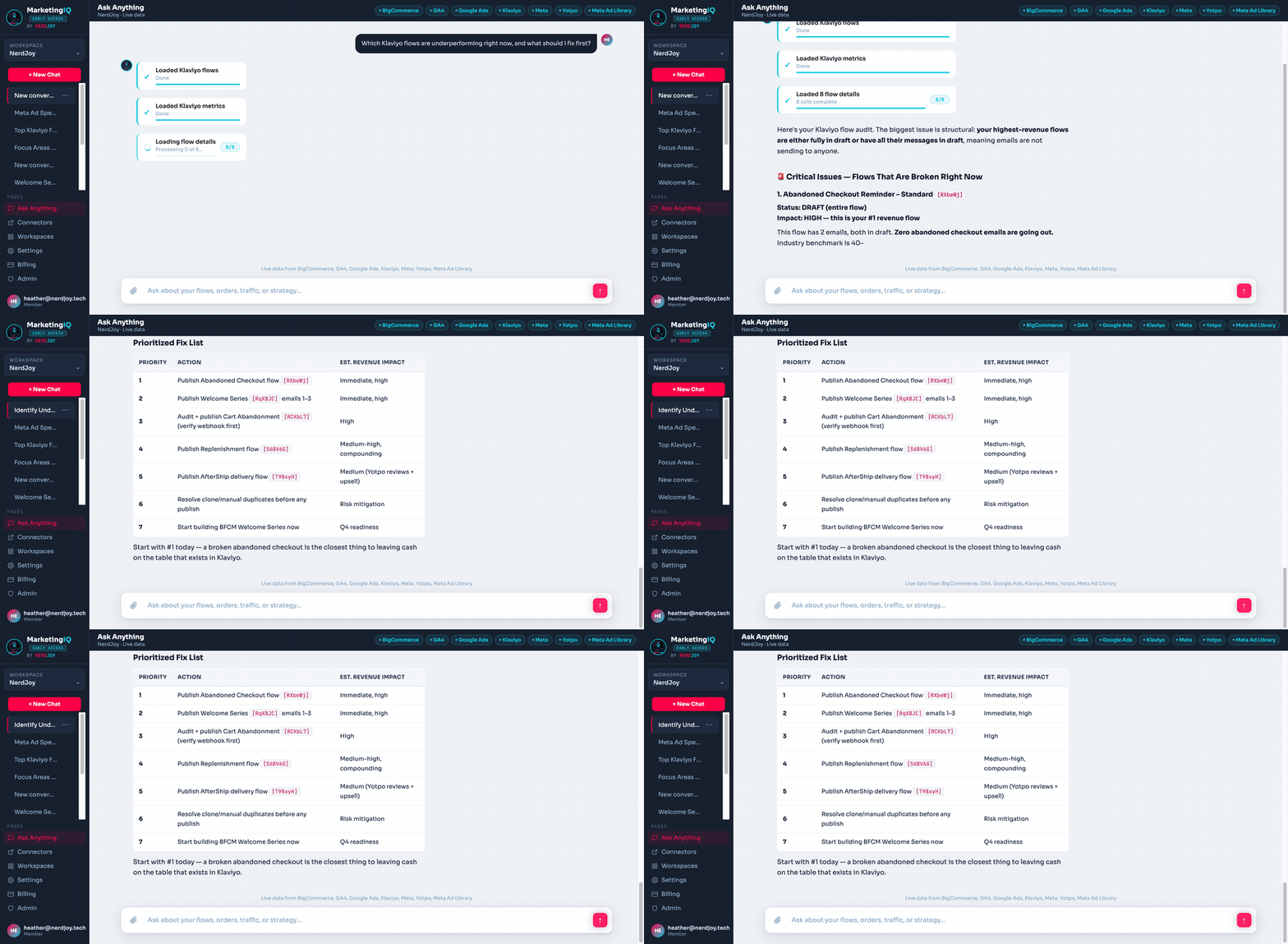
The chat is the heart of MarketingIQ. Ask in plain English; it pulls live data from your connected sources — no exports, no stale dashboards — and answers with numbers and an opinion.
Questions that work well
- "Why did revenue drop last week compared to the week before?"
- "Which Klaviyo flows are underperforming, and what should I test?"
- "Compare my Meta ROAS to my Google Ads ROAS this month."
- "Where are subscribers dropping off in my welcome flow?"
- "What products are trending in orders but underrepresented in my ads?"
Good to know
- Conversations are saved per workspace — pick any thread up later from the sidebar.
- Upload files (CSV exports, PDFs, screenshots) and ask questions about them alongside your live data.
- While it works, you'll see which sources it's querying — answers cite where the numbers came from.
- Each plan includes a monthly message quota; you'll be warned before you hit it.
#4. The daily health report
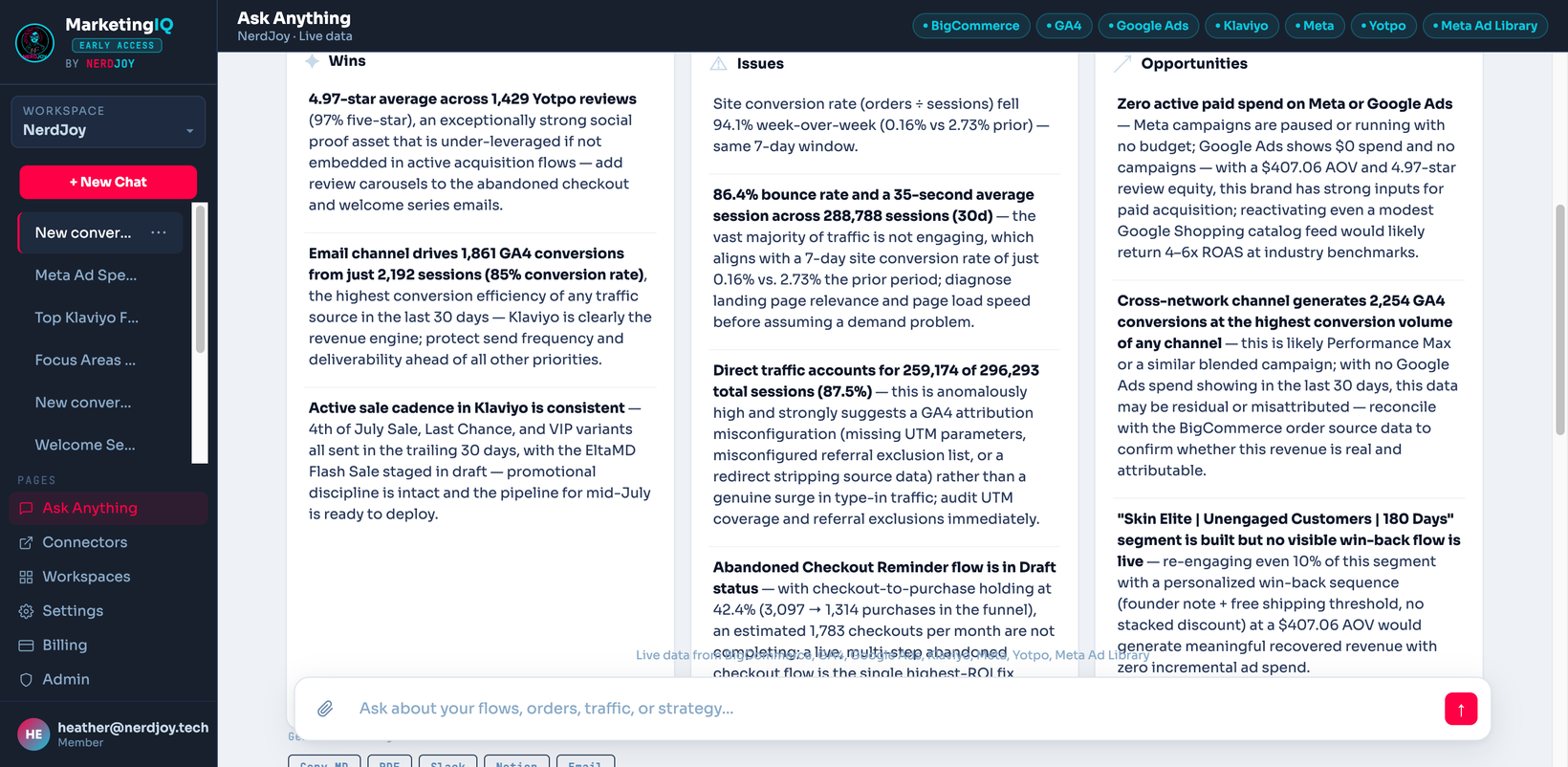
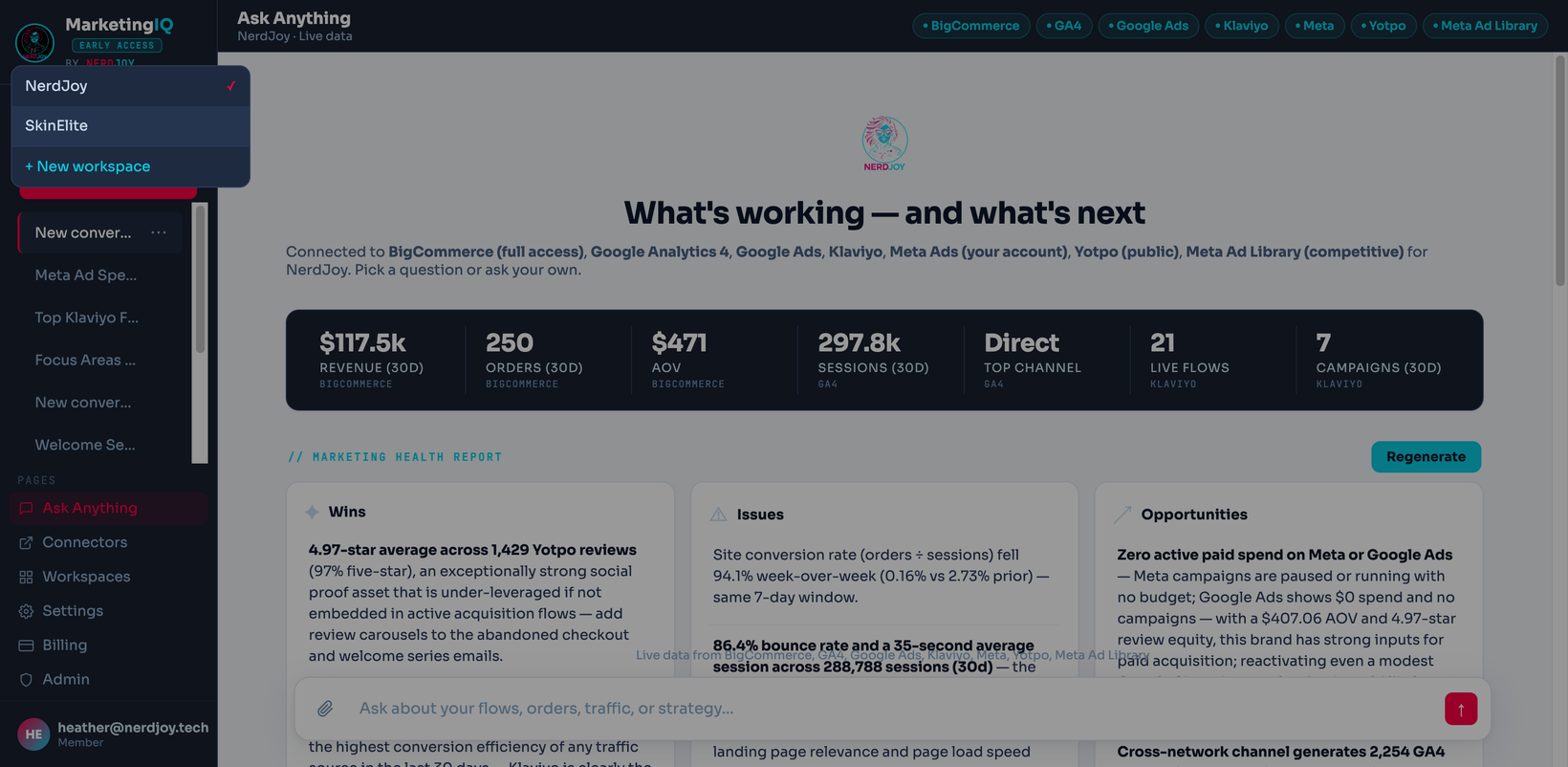
Every night, MarketingIQ reads your whole connected stack and writes a report: what's working, what's broken, and what's worth doing next — before you've opened a single dashboard.
How to read it
- Wins — significant positive moves worth doubling down on.
- Issues — regressions and cross-channel warnings. When two channels tell conflicting stories — ad spend up 22% while revenue stays flat — the report says so explicitly.
- Opportunities — concrete next actions, sized to your data.
Nudges and dismissals
Recurring suggestions (like "spend and revenue diverged again") appear as nudges. Dismiss a nudge and it stays gone — the report won't nag you about the same thing tomorrow.
Freshness
- Reports regenerate nightly automatically, and are cached for 24 hours.
- You can regenerate on demand from the report screen (throttled to once every couple of minutes to keep things snappy).
- Significance isn't one-size-fits-all: MarketingIQ learns each brand's normal weekly variation from its own history, so a swing that's noise for a volatile store isn't flagged as a crisis — and a quiet store's subtle dip isn't missed.
#5. Workspaces & team
Multiple brands
Each workspace is one brand: its own connectors, conversations, reports, and team. If you run several brands (or clients), create a workspace per brand and switch instantly from the workspace menu. Studio includes 3 workspaces; Agency includes 10.
Inviting your team
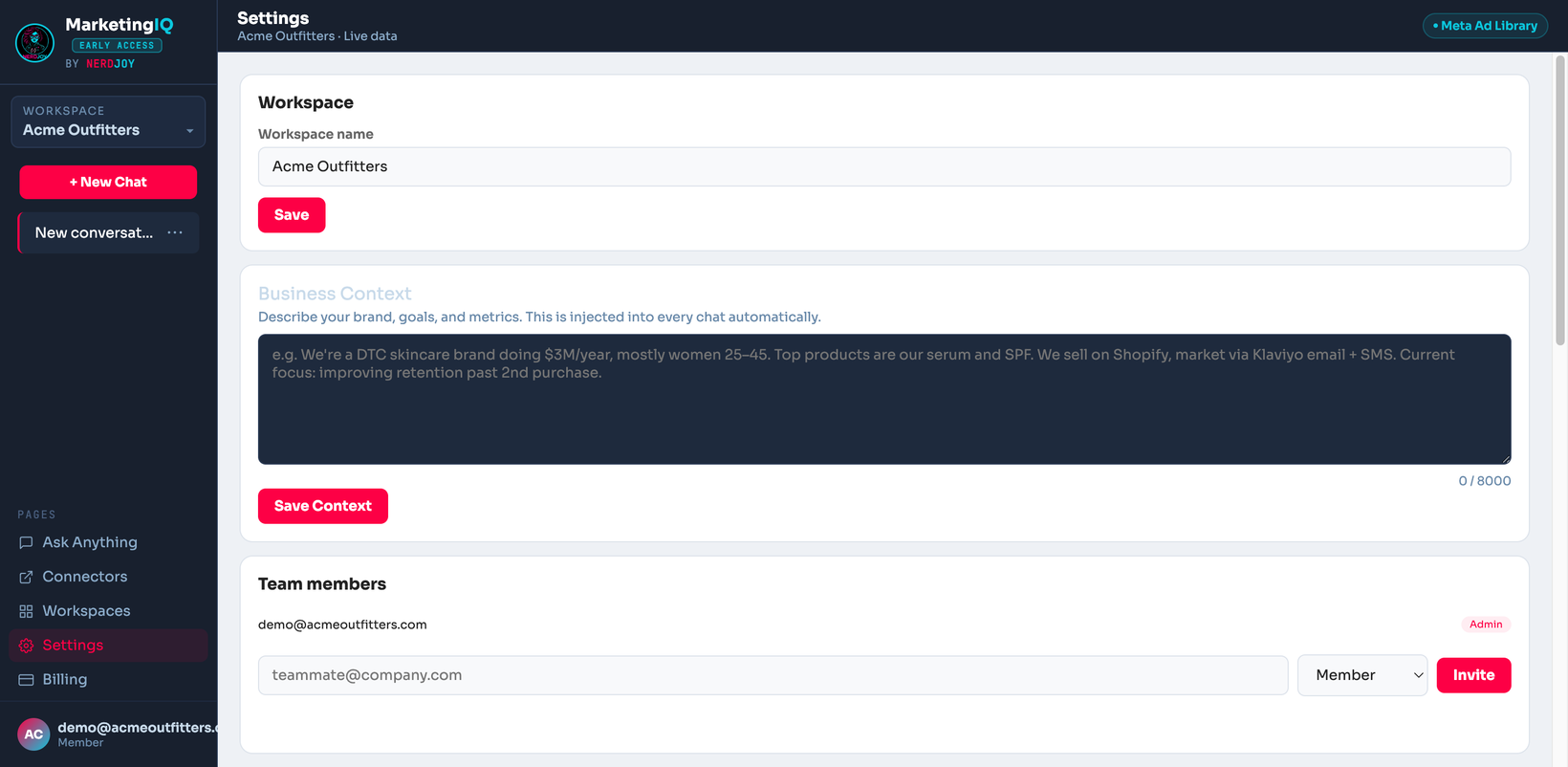
- Open Workspace settings → Members and enter a teammate's email.
- They get an email invite; it's valid for 7 days.
- Invitees need a verified email on their account to be added automatically when they sign in.
Roles: admins manage connectors, members, and billing; members use chat and reports. Brand includes 5 seats, Studio 15, Agency unlimited.
#6. Exports & integrations
Your health report can leave the app:
- PDF — boardroom-ready download (Studio and up; Agency can white-label it).
- Markdown — paste anywhere.
- Slack — post the report to a channel via webhook.
- Notion — append it to a page you choose.
- Email — send it to any address, e.g. a client or your founder inbox.
Set up Slack, Notion, or email once under Workspace settings → Integrations, then export in one click from the report screen.
#7. Plans & billing
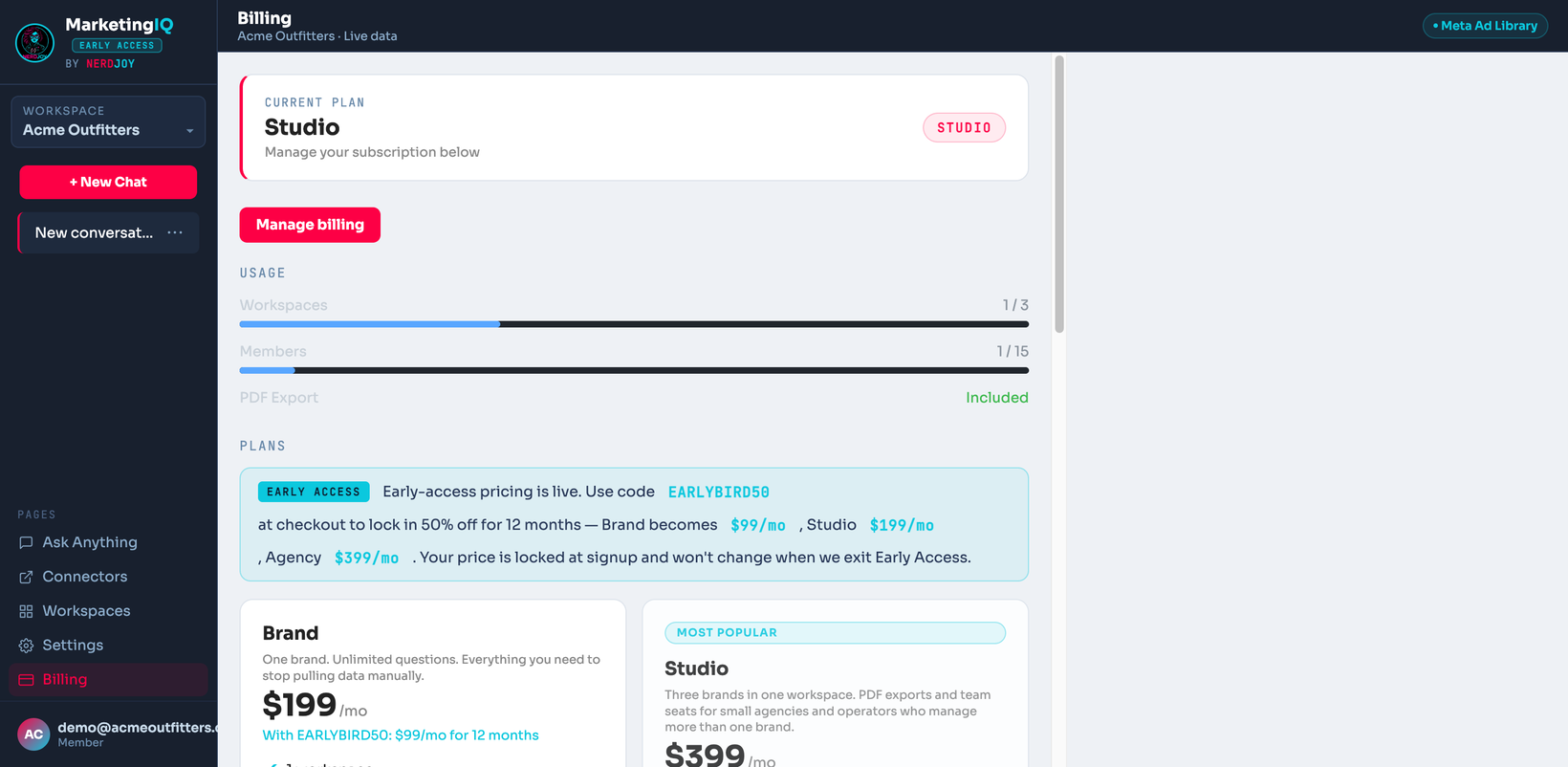
| Plan | Price | Built for | Includes |
|---|---|---|---|
| Brand | $199/mo | One brand, small team | 1 workspace, 5 seats |
| Studio | $399/mo | Multi-brand operators & boutique consultancies | 3 workspaces, 15 seats, PDF export |
| Agency | $799/mo | Agencies managing client brands | 10 workspaces, unlimited seats, white-label exports |
EARLYBIRD50 at checkout takes 50% off for 12 months — Brand $99/mo, Studio $199/mo, Agency $399/mo. Your price stays locked while your subscription is active.- Trials last 14 days with Studio-level features; pick a plan any time from Billing to keep going.
- Manage or cancel any time from the billing portal — plan changes take effect immediately.
#8. FAQ & troubleshooting
Is my data safe?
Connector credentials are encrypted at rest (AES-256-GCM) and only decrypted server-side to call the vendor's API. Workspaces are isolated per tenant — enforced in the application layer and at the database with row-level security. We pull your data to answer your questions; we don't resell it or use it to train models.
Why does an answer differ from a dashboard?
Different systems measure differently — GA4 conversions and ad-pixel conversions routinely disagree, and attribution windows vary. MarketingIQ cites which source each number came from and never silently mixes measurement systems.
A connector shows "temporarily unavailable"
The vendor's API failed repeatedly, so we've paused calls to it briefly. It retries automatically. If it persists, re-check the credential in the connector card.
My health report seems stale
Reports cache for 24 hours and regenerate nightly. Hit regenerate on the report screen for a fresh one on demand.
I didn't get my team invite
Invites expire after 7 days — ask the workspace admin to resend. Also make sure the email on your MarketingIQ account is verified.
Something else?
Email heather@nerdjoy.tech — a human reads it.